
Quick answer
Use temp mail when the task genuinely ends
Temp mail is a receive-only address for one short, low-risk interaction. Use it when you expect one message and would lose nothing if access disappeared later.
- No registration
- Receive only
- Best for low-risk tasks
Good fit for temp mail
- Preview a newsletter before subscribing.
- Receive a one-time download link.
- Test a form you own or are authorized to test.
Use a permanent email instead
- Purchases, subscriptions, or warranties.
- Banking, healthcare, identity, or work records.
- Any account you may need to recover later.
Real product view
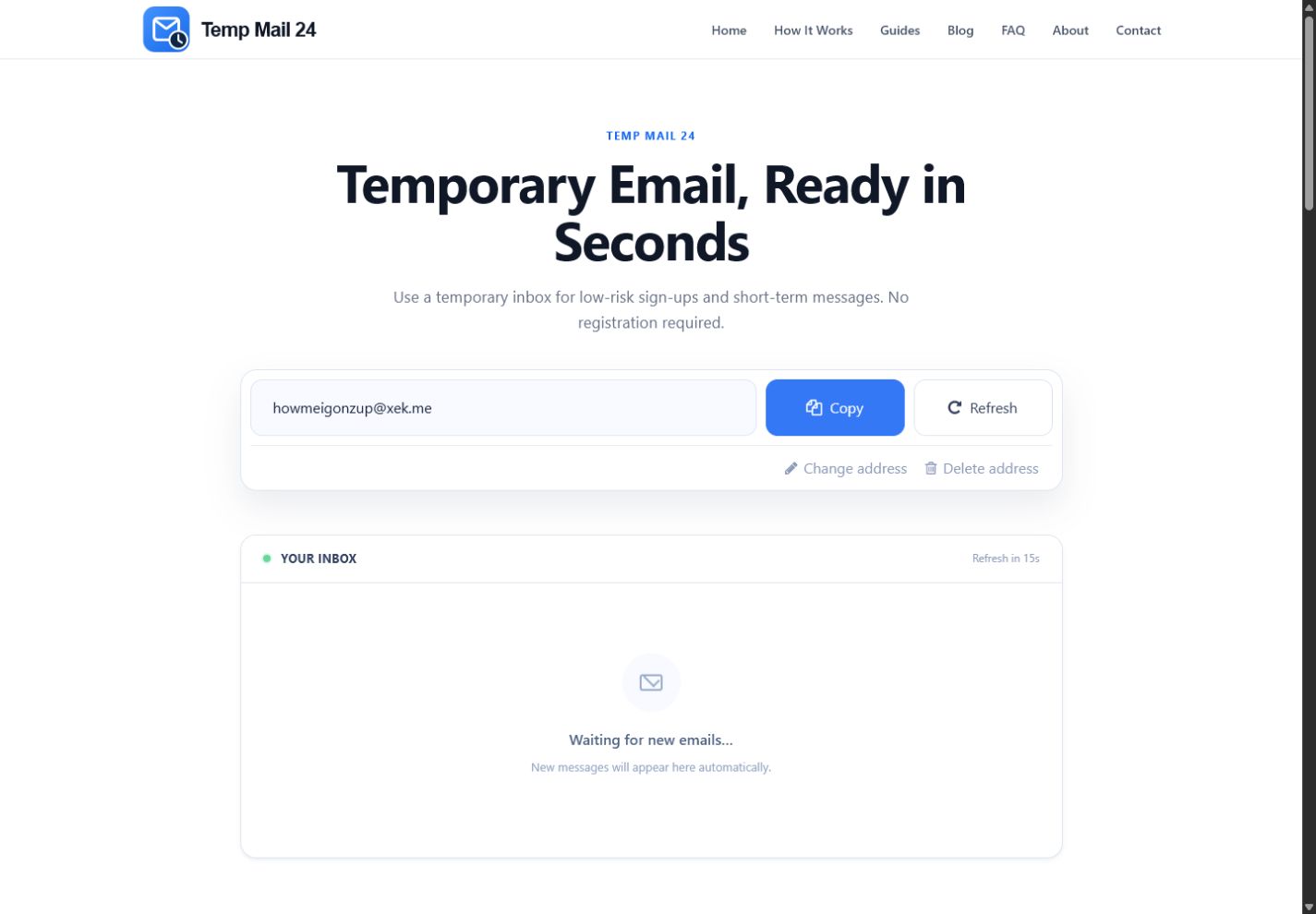
See the inbox before you start
A temporary address appears automatically on the home page. Incoming messages are shown in the inbox below.
How it works
Three steps, one expected message
Open the service only when the destination form is ready. That keeps the interaction short and reduces the chance that you lose access before finishing.
Open the home page
Your current browser receives a temporary address automatically.
Copy the full address
Use it only in a permitted form for a low-risk interaction.
Receive and finish
Keep the inbox open, read the expected message, and complete the task before changing the address.
Know the limits
What temp mail does — and what it does not
What it helps with
- Keeping one low-risk sender away from your important mailbox.
- Receiving an expected message without creating an account here.
- Returning the current browser to its assigned inbox through a browser token.
What it cannot promise
- Sending messages or replying to a sender.
- Anonymity, encryption, hidden IP addresses, or protection from browser tracking.
- A fixed inbox lifetime, message retention, recovery, or exact delivery time.
Troubleshooting
If the expected message does not arrive
- Check the complete recipient address for missing characters or spaces.
- Confirm that the sender accepted the form and did not reject temporary domains.
- Keep the inbox open and wait through several automatic checks before trying again.
- If resend is permitted, request it once and use only the newest valid code.
Delivery depends on the sending application, queues, filters, retries, and domain policy. Temp Mail 24 cannot promise an exact arrival time.
FAQ
Frequently asked questions
Can I send or reply from Temp Mail 24?
No. The inbox is receive-only, so it cannot send messages or replies.
Can I recover an address after changing it?
Recovery is not guaranteed. Finish the task before changing or deleting the current address.
How long will the inbox stay available?
There is no fixed lifetime or retention promise. Use the inbox for a short task and complete it while you still have access.
Does temp mail make me anonymous?
No. A separate address does not hide your IP address, block cookies, stop browser tracking, or protect data you submit to another site.
Latest guides and articles
Before You Change or Delete a Temporary Inbox: Finish These Checks
A practical exit checklist for completing the task, saving only safe non-sensitive information, and avoiding accidental loss of access.
Read moreEmail Delivery Retries Explained: Temporary vs Permanent Failures
Learn how mail queues react to temporary 4.x failures, permanent 5.x failures, greylisting, retry delays, and out-of-order verification messages.
Read moreA Safer Email Setup for Newsletters and Free Downloads
Use temporary email, aliases, filters, or a separate inbox according to whether the sender relationship ends, continues, or produces records.
Read moreWhat Happens When You Resend a Verification Email
Resend may create a new token, invalidate an older one, change queue order, or trigger rate limits. Use a clean sequence instead of repeated…
Read moreHow to Test Password-Reset Emails Safely
A controlled manual test plan for reset requests, anti-enumeration responses, token expiry, reuse, resend, state changes, and safe evidence.
Read moreCan Temporary Email Stop Spam? What It Helps With—and What It Cannot
Temporary email can keep one low-risk sender away from your main address, but it cannot stop spam already sent elsewhere or make risky websites…
Read more