
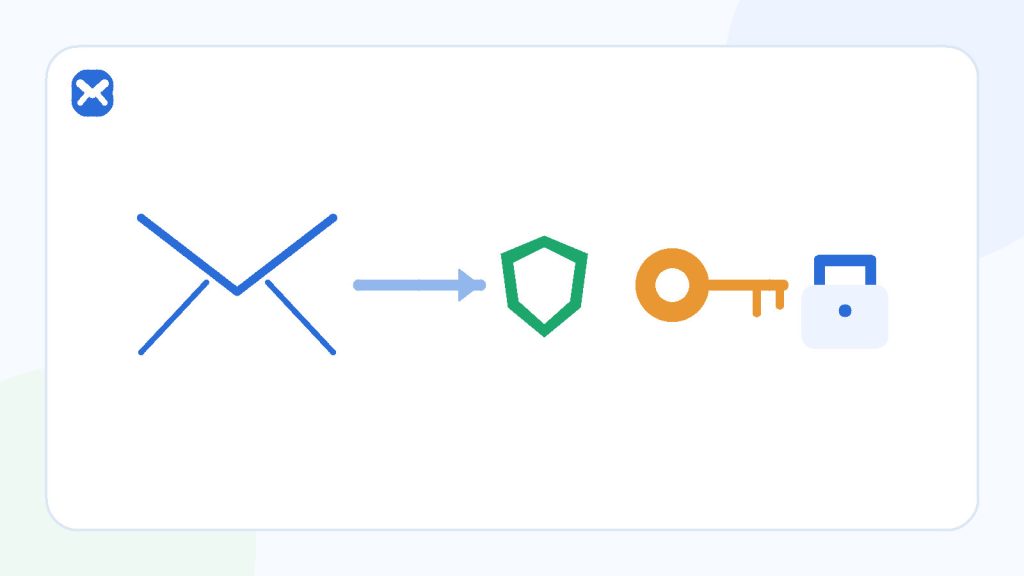
Quick answer
Treat password reset as an account-security workflow
Test reset email only on a system you own or are explicitly authorised to assess. Cover request handling, account enumeration, delivery, token secrecy, expiry, one-time use, resend, password change, existing sessions, and notifications with isolated test identities.
- High-risk flow
- Authorisation required
- Never store live reset URLs
Start with
A dedicated authorised test account
- Known initial password and state.
- A permitted inbox you control.
- A documented rollback.
Never do
Test arbitrary real users
- Do not enumerate accounts.
- Do not reset another person’s password.
- Do not paste tokens into tickets.
Process
Run the reset flow as a sequence of state changes
Every scenario should begin from a known account state and end with a verified security state.
Define accounts that may and may not exist
Use owned fixtures. Expected public responses should avoid revealing which address maps to a real account.
Request one reset
Record the UI response and timestamp. Confirm the response is consistent and does not disclose sensitive account data.
Inspect the email safely
Check HTTPS destination, clear expiry wording, expected sender, minimal personal data, and absence of passwords or secrets beyond the reset token.
Use the link once
Set a new test password, confirm the account changes correctly, and verify the same link cannot be replayed.
Test isolated negative cases
Use fresh fixtures for expiry, tampering, resend, wrong account, already-changed password, and session invalidation behavior.
Clean up
Restore or retire test accounts, revoke active sessions as required, redact evidence, and verify no usable reset token remains in shared tools.
Decision guide
Minimum password-reset test matrix
| Scenario | Secure expectation | Safe evidence |
|---|---|---|
| Known and unknown account | Public response does not reveal account existence. | Response copy and timing range from owned fixtures. |
| Valid link | HTTPS flow changes only the intended test account. | Redacted steps and final state. |
| Reused link | Consumed token is rejected. | Second-attempt result without the token. |
| Expired link | Token is rejected with a safe restart path. | Error copy and request timestamps. |
| Resend | Invalidation behavior is consistent and documented. | Which request became authoritative. |
| Changed password or email | Old reset state cannot alter the wrong identity. | Precondition and final identity mapping. |
| Active sessions | Behavior matches the application’s security policy. | Session state after reset, without cookies. |
Practical details
Security properties behind the user experience
The response should resist account enumeration
The public result for an existing and non-existing address should be consistent enough that an attacker cannot reliably discover registered users. Rate limits and monitoring should apply without creating a denial-of-service path for the account owner.
The token should be random, time-limited, and single use
The reset URL grants temporary authority, so it needs secure generation and storage, a limited lifetime, HTTPS, and invalidation after use. It should be bound to the intended account and purpose.
Do not log full URLs, analytics query strings, or tokens. Test reports need only redacted identifiers and state transitions.
Reset completion is not the end of the test
Verify notifications, session behavior, login with the new password, rejection of the old password, and any MFA or recovery requirements. The exact session policy depends on the product threat model.
Checklist
Safe password-reset evidence
- Owned test account and documented authorisation.
- Environment and build identifier.
- Request and response timestamps.
- Redacted sender, recipient, and URL.
- Expected and actual account states.
- No password, cookie, OTP, token, or private body in the report.
If a test affects an account you do not own, stop and obtain explicit authorisation.
Related reading
Continue with the right next step
Use the signup verification matrix for lower-risk account activation scenarios. The authorised testing guide explains when a real inbox is required, and magic-link troubleshooting covers one-time URL behavior.
Sources
Authoritative references
These references support the technical and privacy details above. Product-specific limits are described separately in our own guides.
FAQ
Frequently asked questions
Can I test password reset on any account I can name?
No. Use only accounts you own in a system you control or a target whose owner explicitly authorised the test.
Should a reset response say that an email is registered?
Security guidance recommends consistent responses that avoid exposing account existence.
Can I attach a full reset URL to a bug report?
No. The URL may be a live bearer token. Redact it completely and record only safe state and timing evidence.
Is temporary email appropriate for a real account’s recovery address?
No. Use a durable protected mailbox for any account you may need to recover.